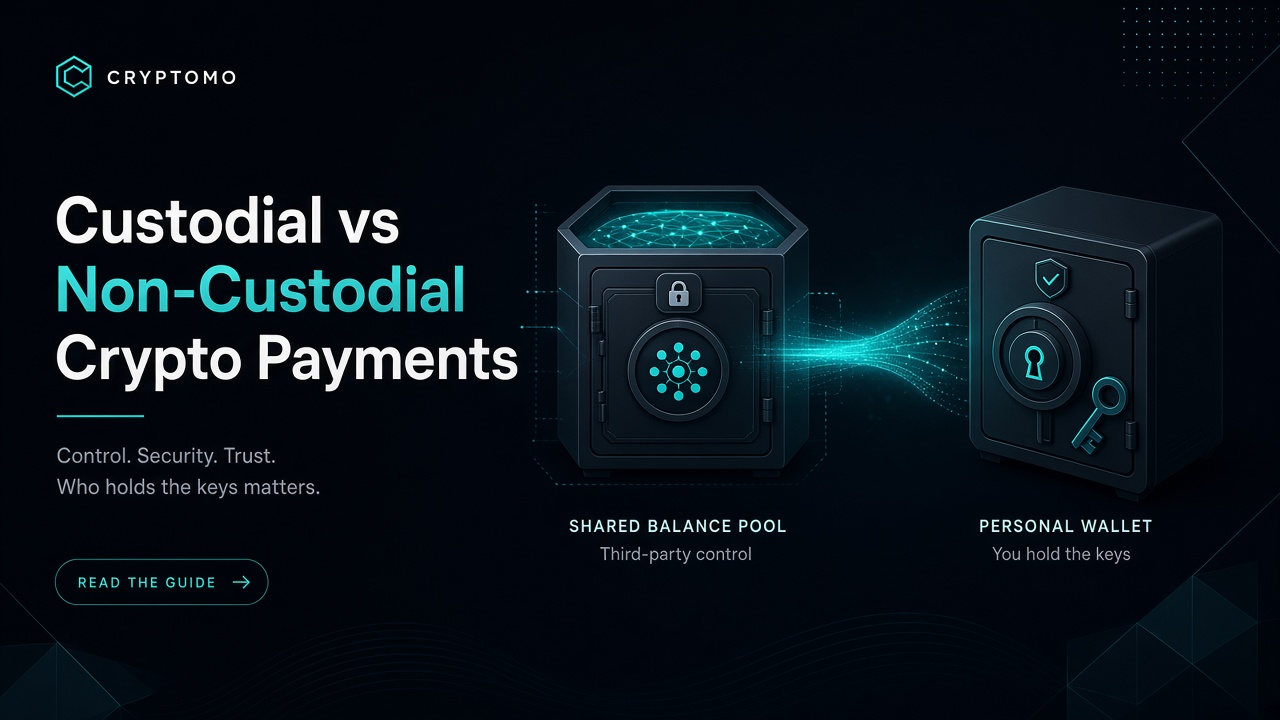
Custodial vs Non-Custodial Crypto Payments: What Merchants Should Choose Every crypto payment gateway sits somewhere on a spectrum: does the money land in their balance first, or does it go straight into your wallet? That single design choice affects fees, operational risk, accounting, and how quickly you can spend or convert what customers pay.
This article explains custodial versus non-custodial crypto payments in plain merchant language, then maps the ideas to Cryptomo’s balance model versus optional own-wallet receiving on Pro and Business plans. The goal is not ideology (“not your keys, not your coins” as a slogan), but a practical decision framework for stores, agencies, and freelancers.
What “custodial” means for an online store In a custodial flow, the gateway generates a deposit address it controls. The buyer pays that address. After network confirmation, your merchant balance on the platform increases. Later you withdraw to your own exchange or cold wallet—or leave funds on the platform for payouts and refunds.
Upsides for merchants
Faster onboarding: you do not need to configure addresses or xpubs per coin Unified balance for multi-coin checkout (BTC, USDT, ETH, SOL, and more) Easier refunds and operational tools that assume funds are already on the platform Good fit when your finance team wants one ledger before treasury moves money Trade-offs
You trust the platform’s security and withdrawal process for funds that have not left yet A per-payment balance fee may apply (on Cryptomo Starter, that is 5% per balance payment—see pricing) Withdrawals introduce an extra step between “customer paid” and “funds in my treasury wallet” Custodial here is about where value sits after payment, not about whether checkout is hosted. Hosted checkout (QR, exact amount, countdown) can sit in front of either model.
What “non-custodial” / own-wallet means In a non-custodial (merchant own-wallet) flow, the gateway still runs checkout UX, pricing, rate locks, and webhooks—but the on-chain destination is your address, or an address derived from your xpub. Cryptomo never needs to hold that payment as a platform balance for you to “own” it.
Upsides
Funds arrive under keys you control (hardware wallet, multisig, treasury cold storage, exchange deposit address you manage) Fee model can drop to 0% on own-wallet payments (Cryptomo Pro and Business) Cleaner story for teams that already have a crypto treasury policy Trade-offs
You must maintain correct addresses / xpubs and understand network selection (ERC-20 vs TRC-20 USDT is not the same asset path) Refunds and mass payouts may need separate workflows if money never sat in a platform balance Key management mistakes are your operational risk—lost seeds are not recoverable by a support ticket Non-custodial payment acceptance is different from running your own full node or writing your own Bitcoin script. You still want signed webhooks, invoice expiry, and underpayment handling—those are product features, not custody.
How Cryptomo maps the two models Cryptomo is built so merchants can start simple and graduate to own-wallet without changing plugins.
Model Cryptomo surface Typical plan Fee highlights (authoritative: pricing) Custodial balance Payments credit your Cryptomo balance; withdraw when ready Starter (free) 5% per balance payment Own-wallet / non-custodial Payments go to your addresses or xpub Pro ($49/mo) or Business ($99/mo) 0% on own-wallet; also 0% on balance payments on those plans Scale Up to 10 stores (Pro) or 50 (Business), priority support on Business Pro / Business Plans paid in crypto Hosted checkout, payment links, WooCommerce / WHMCS / other plugins, REST API, and signed webhooks work across the journey. Own-wallet is the custody upgrade—not a separate product silo.
Always confirm current numbers on cryptomo.net/pricing before you budget; marketing pages elsewhere can lag.
Decision framework: which should you choose? Choose balance (custodial) first if… You are validating crypto conversion rates and support load You do not yet have a multi-coin treasury process Your volume is low and a transparent percentage fee is simpler than a monthly plan You want one place to see balances before withdrawing Starter is designed for that path: free monthly fee, pay as you earn.
Move to own-wallet (Pro/Business) if… Monthly volume makes 5% more expensive than $49 or $99 Finance or compliance prefers funds never rest on a third-party balance You already run hardware wallets, multisig, or exchange treasury accounts You operate agencies with many storefronts (store limits matter: 10 vs 50) A quick mental math example: if balance fees at 5% would cost more than $49 in a typical month, Pro’s own-wallet 0% (and 0% balance fees on that plan) often pays for itself—run your own numbers with last month’s crypto GMV.
Hybrid reality Many merchants keep a small balance for refunds or mass payout tooling while routing primary revenue to own-wallet. Product capabilities evolve; design your SOP around where money should live overnight, not around a forum slogan.
Security is not only custody Whether you use balance or own-wallet, insist on:
2FA on the merchant dashboard Signed API requests and signed webhooks (verify HMAC; never trust an unsigned POST) Address locks / careful change control when updating payout or receive addresses Least-privilege API keys and IP allowlists where available Cryptomo markets bank-grade controls along these lines; your WordPress or custom app must meet them halfway (HTTPS, secret storage, idempotent order updates).
Accounting and ops checklist Document the model in your finance SOP: “Customer pays → balance” vs “Customer pays → treasury address X”. Reconcile webhooks to invoices (paid, paid_over, partially_paid) rather than guessing from blockchain explorers alone. Separate networks in books (USDT on TRON is not USDT on Ethereum). Test withdrawals (balance model) or test small own-wallet invoices before marketing “we take crypto”. Review plan economics quarterly against pricing. This is operational guidance, not tax or legal advice—local rules on VASP registration, GST/VAT, and income recognition still apply to your entity.
Soft next step If you are unsure, start on Starter, accept a handful of real orders into balance, measure support tickets and fee drag, then upgrade to Pro or Business when own-wallet 0% and multi-store limits match how you actually sell. Create a store at cryptomo.net/register, skim docs for invoice statuses, and decide custody with numbers—not vibes.
Custodial versus non-custodial is a treasury decision wearing a payments costume. Pick the costume that fits this quarter’s volume and risk tolerance; you can change outfits when the store grows.